
Highland OrderFlow
Installation Guide
User Guide
📦 Installing Highland OrderFlow
Highland OrderFlow is a WordPress plugin designed to work with WooCommerce. Installation only takes a few minutes. Once the plugin is activated, OrderFlow’s guided setup will help you configure your business, licence, workflow and first display.
Before you begin
You will need:
- A WordPress website
- WooCommerce installed and active
- Administrator access to WordPress
- Your Highland OrderFlow installation file
- Your licence key if you are activating a licensed edition
1. Get OrderFlow
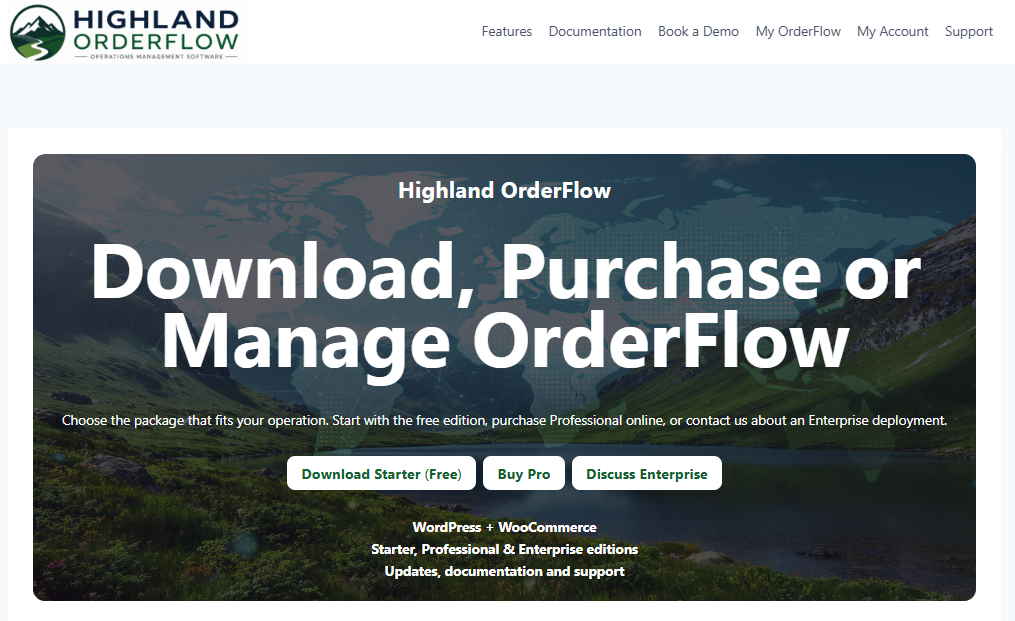
Download OrderFlow Starter from the Highland OrderFlow website.
Starter is the free edition of OrderFlow. No checkout, account or licence key is required.
Click Download OrderFlow Starter and save the installation ZIP file to your computer.
Do not extract the ZIP file. You will upload it directly to WordPress in the next step.
2. Sign in to WordPress
Sign in to the WordPress administration area of the website where OrderFlow will be installed.
Make sure WooCommerce is installed and active before continuing.
3. Upload the OrderFlow plugin
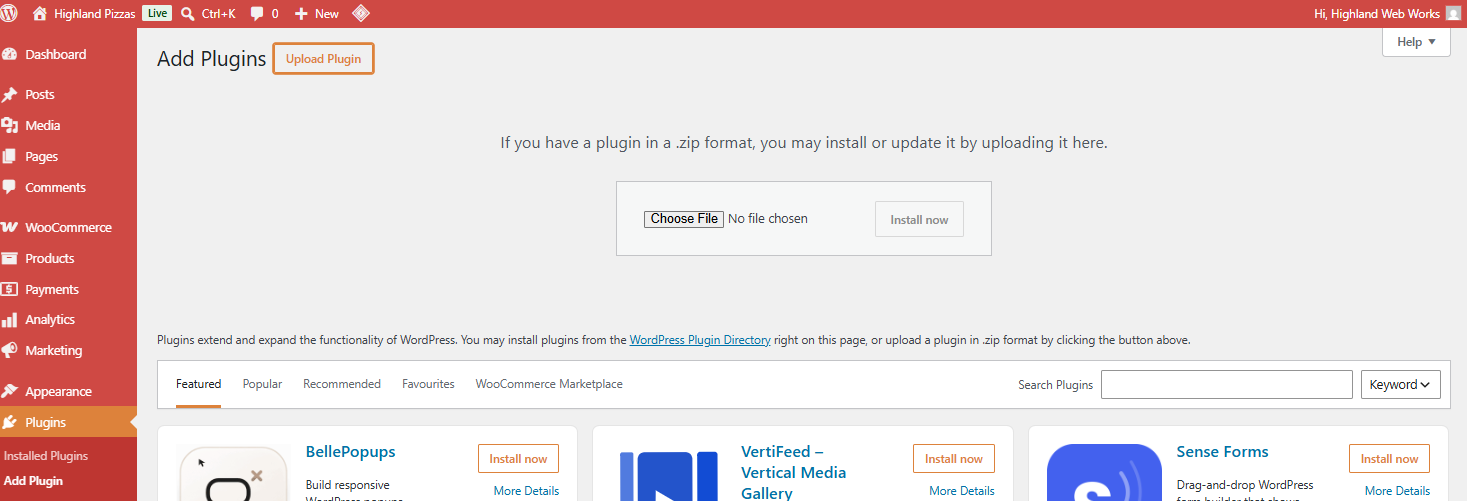
From your WordPress dashboard, go to:
Plugins → Add New Plugin → Upload Plugin
Select Choose File and locate the OrderFlow installation file you downloaded.
Select Install Now.
WordPress will upload and install the plugin.
4. Activate OrderFlow
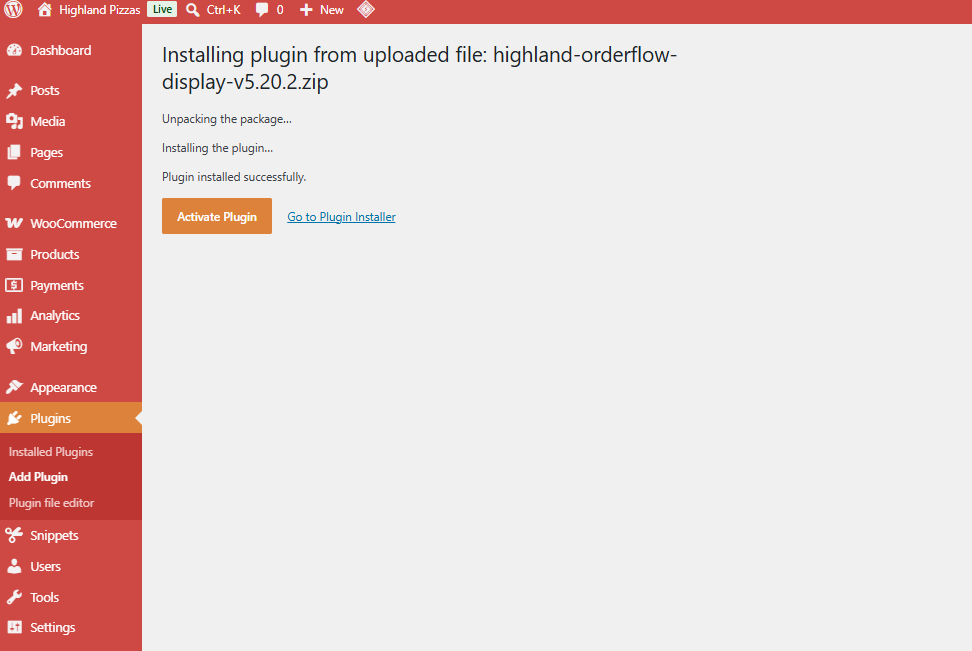
Once installation has completed, select Activate Plugin.
OrderFlow will now appear in the WordPress administration menu.
5. Open OrderFlow
Select OrderFlow from the WordPress menu.
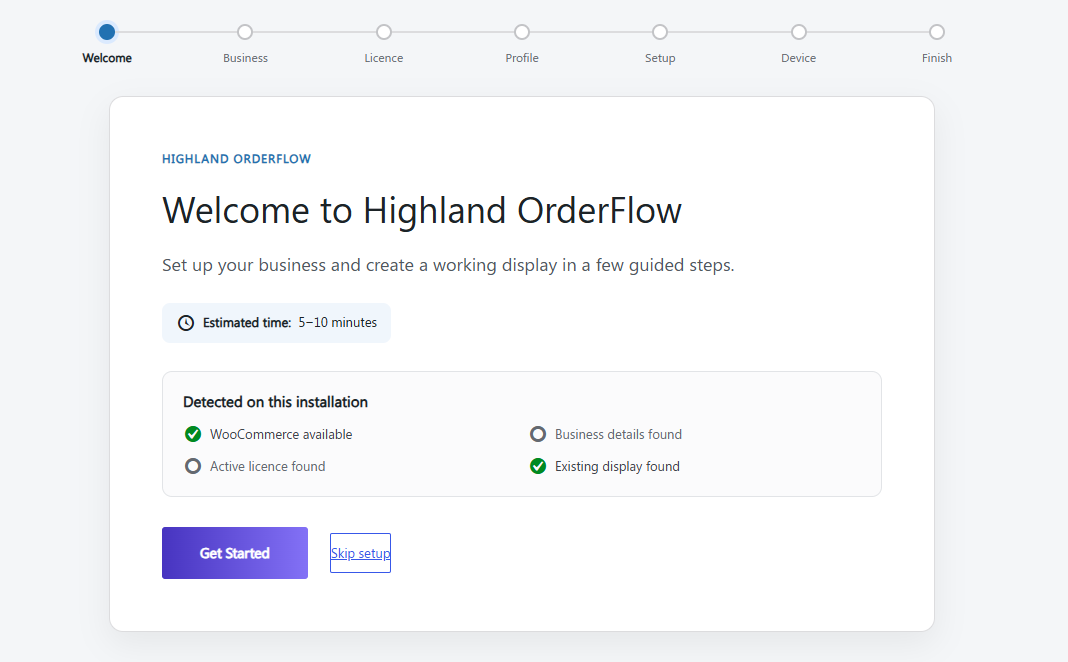
A new installation opens in Getting Started mode.
The setup wizard takes approximately 5–10 minutes and guides you through:
Welcome → Business → Licence → Profile → Setup → Device → Finish
Select Get Started to begin.
Installation complete
OrderFlow is now installed.
Continue to ⚙ Initial Configuration to configure your business, choose an operating profile, activate your licence and connect your first operational display.